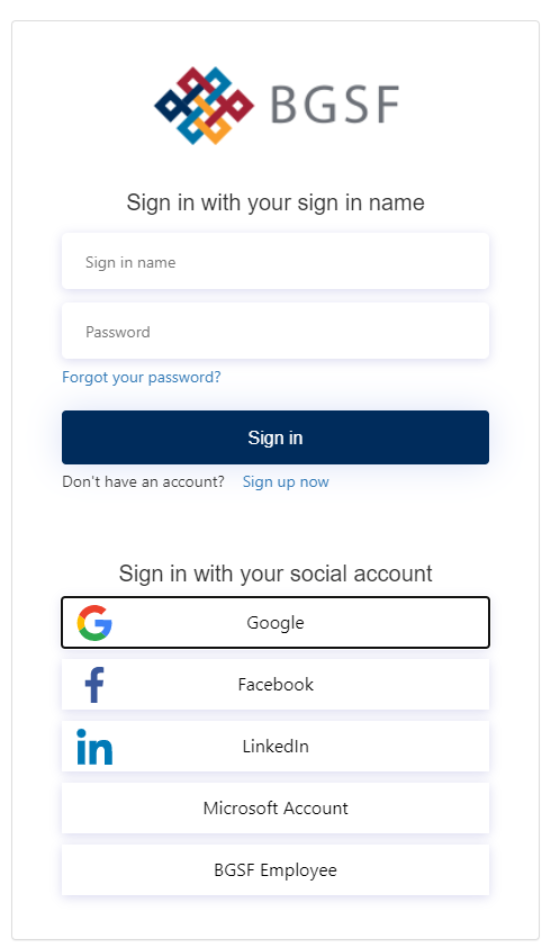
How to Bookmark / Save Dayforce Link to Favorites in Google

Oct 07, 2025
 84
84
Note: You cannot save the Dayforce SSO link to your favorite in the normal fashion since this saves incorrect url link/ page that requires a Dayforce Login.
Below is the workaround to save Dayforce SSO link to your favorites:
Step 1: Launch Google Chrome
Step 2: Press Shift Ctrl O to open the Bookmarks Manager.
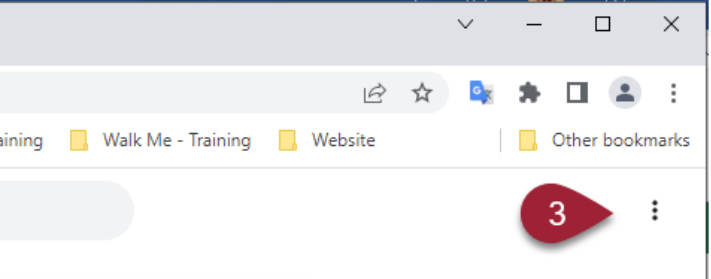
Step 3: Click on the three vertical bars on the right-hand corner under neath the normal three vertical bars
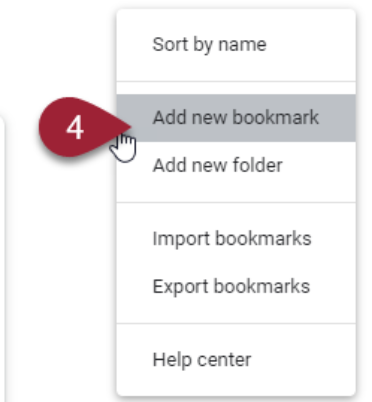
Step 4: Click on Add New Bookmark
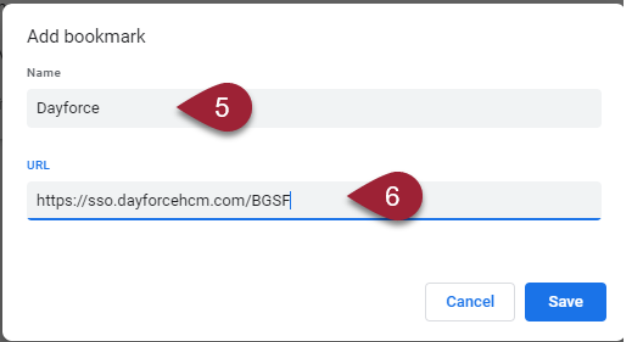
Step 5: Enter a Name for bookmark such as Dayforce
Step 6: Copy and paste the Dayforce link to the URL
https://sso.dayforcehcm.com/BGSF
Next time you go to your book marks you will see Dayforce Saved
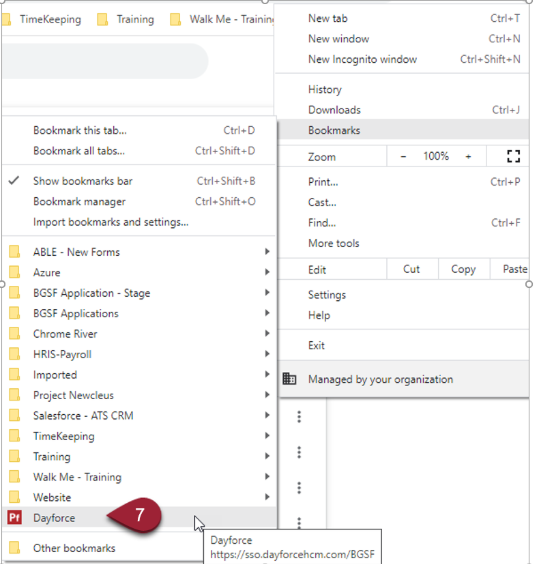
The New Bookmark will take you correct page to use SSO Login for Dayforce